Buy امام.com ?
We are moving the project
امام.com .
Are you interested in purchasing the domain
امام.com ?
domain@kv-gmbh.de · 0541-91531010
Buy امام.com ?
Why is the Netgear Wi-Fi router not working?
The Netgear Wi-Fi router may not be working due to a variety of reasons. It could be a power issue, so make sure the router is plugged in and receiving power. It could also be a problem with the internet connection, so check if the modem is working properly. Additionally, there could be a firmware issue, so try resetting the router or updating its firmware. If none of these solutions work, it may be a hardware problem and you may need to contact Netgear support for further assistance. **
Why is the Wi-Fi repeater Netgear WN1000RP not working?
There could be several reasons why the Wi-Fi repeater Netgear WN1000RP is not working. Some common issues could include incorrect setup or configuration, interference from other electronic devices, outdated firmware, or a hardware malfunction. It is recommended to troubleshoot by checking the setup, ensuring the repeater is placed in an optimal location, updating the firmware, and contacting Netgear support for further assistance if needed. **


Similar search terms for Netgear-RBK53S-Mesh-Wi-Fi
Top-Angebote
Products related to Netgear-RBK53S-Mesh-Wi-Fi:
-
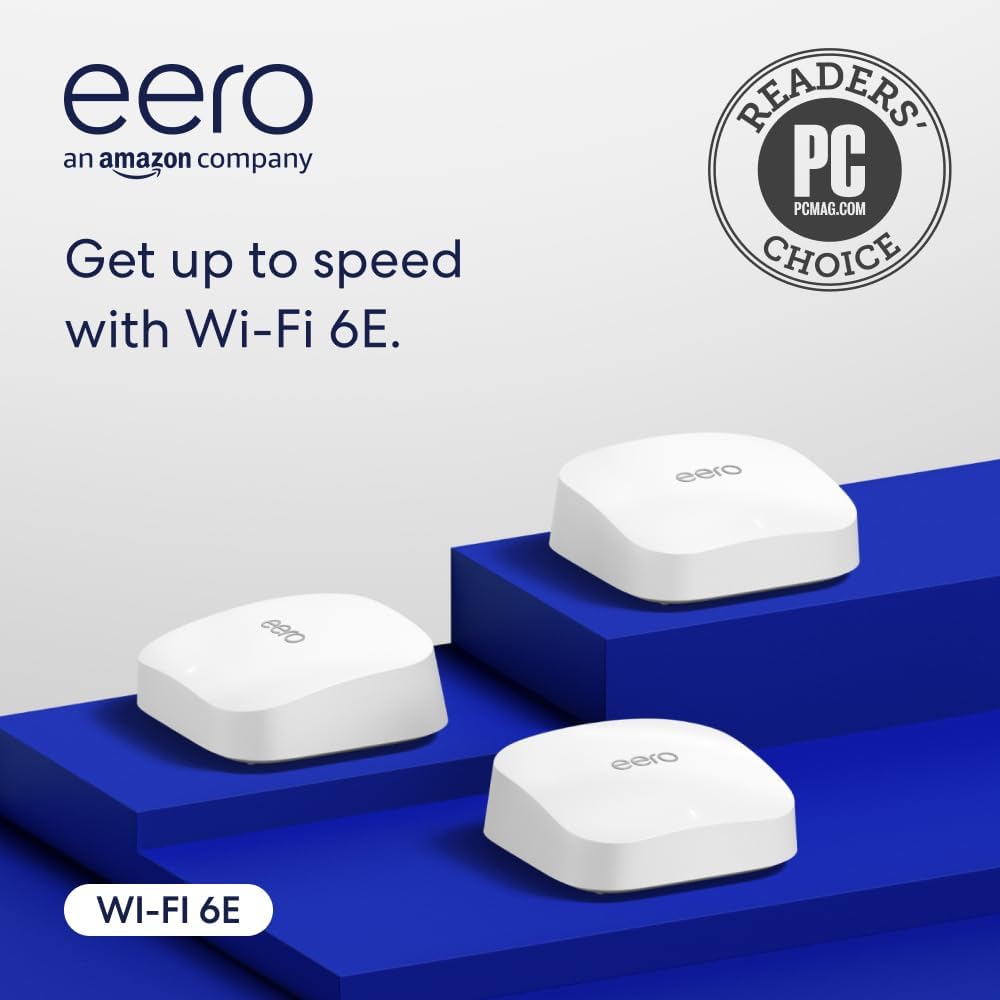
eero Pro 6E mesh Wi-Fi router 3-Pack, New.gadcet-pdp{--g-green:#00a651;color:#1f2430;line-height:1.55;font-size:inherit;max-width:760px}.gadcet-pdp>*:first-child{margin-top:0}.gadcet-pdp p{margin:0 0.9em}.gadcet-pdp h3{font-size:1.05em;font-weight:600;color:#11161f;margin:1.4em 0.5em;padding-left:.5em;border-left:3px solid var(--g-green);border-radius:0;line-height:1.3}.gadcet-pdp ul{list-style:none!important;margin:0 0.9em;padding:0!important}.gadcet-pdp ul li{position:relative;padding:.1em 0.1em 1.5em;margin:0}.gadcet-pdp ul li::before{content:"";position:absolute;left:.16em;top:.45em;width:.36em;height:.66em;border:solid var(--g-green);border-width:0.14em.14em 0;transform:rotate(45deg)}.gadcet-pdp table{width:100%;border-collapse:collapse;margin:.3em 0 1em;font-size:.95em;border:1px solid #e7e9ee!important;border-radius:8px;overflow:hidden}.gadcet-pdp table td{padding:.5em.8em;border-bottom:1px solid #eef0f4!important;vertical-align:top}.gadcet-pdp table tr:last-child td{border-bottom:0!important}.gadcet-pdp table tr:nth-child(even){background:#f7f9f8}.gadcet-pdp table td:first-child{font-weight:600;color:#454c59;width:40%}@media (max-width:600px){.gadcet-pdp table td:first-child{width:42%}} Experience next-generation Wi-Fi 6E with the eero Pro 6E mesh system. This 3-pack delivers lightning-fast speeds, extensive coverage, and a smart home hub in one, ensuring seamless connectivity for every device in your home. Key Features Wi-Fi 6E technology with access to the 6 GHz band for reduced latency and improved performance Combined wired and wireless speeds up to 2.3 Gbps (wired up to 1 Gbps, wireless up to 1.3 Gbps) Covers up to 560 m² and supports over 100 connected devices eero TrueMesh technology intelligently routes traffic to minimise drops, buffering, and dead zones Quick and easy setup via the eero app, with network management from anywhere Built-in smart home hub supports Thread and Zigbee devices, and works with Alexa Thread Border Router for compatible Thread-enabled devices Extendable coverage with eero Built-in and compatible Echo devices Optional eero Plus subscription for advanced security, parental controls, and more (30-day free trial included) Benefits Enjoy buffer-free streaming, gaming, and video calls throughout your home Set up your network in minutes with the intuitive eero app Expand your coverage as your needs grow with compatible eero devices Keep your family safe online with optional eero Plus features Control your smart home devices seamlessly with built-in Thread and Zigbee support Specifications Wi-Fi Standard Wi-Fi 6E (6 GHz band) Combined Speed Up to 2.3 Gbps Wired Speed Up to 1 Gbps Wireless Speed Up to 1.3 Gbps Coverage Up to 560 m² Connected Devices 100+ Smart Home Hub Thread and Zigbee support Additional Features eero TrueMesh, Thread Border Router, eero Plus compatibility What You'll Receive This listing includes a 3-pack of eero Pro 6E mesh Wi-Fi routers. Choose from New or Used - Like New condition to suit your budget. Ideal For Perfect for larger...309,99 £*Shipping: 0,00 £Secure redirect to the provider
-
Gadcet Chadwell Heath TP-Link AC1900 Gigabit Mesh Wi-Fi Range Extender/Wi-Fi Booster/Wi-Fi Repeater, 3 External Antennas, Intelligent Signal Light, Power Schedule, LED Control, Tether APP, Easy Setup, UK Plug (RE550), New.gadcet-pdp{--g-green:#00a651;color:#1f2430;line-height:1.55;font-size:inherit;max-width:760px}.gadcet-pdp>*:first-child{margin-top:0}.gadcet-pdp p{margin:0 0.9em}.gadcet-pdp h3{font-size:1.05em;font-weight:600;color:#11161f;margin:1.4em 0.5em;padding-left:.5em;border-left:3px solid var(--g-green);border-radius:0;line-height:1.3}.gadcet-pdp ul{list-style:none!important;margin:0 0.9em;padding:0!important}.gadcet-pdp ul li{position:relative;padding:.1em 0.1em 1.5em;margin:0}.gadcet-pdp ul li::before{content:"";position:absolute;left:.16em;top:.45em;width:.36em;height:.66em;border:solid var(--g-green);border-width:0.14em.14em 0;transform:rotate(45deg)}.gadcet-pdp table{width:100%;border-collapse:collapse;margin:.3em 0 1em;font-size:.95em;border:1px solid #e7e9ee!important;border-radius:8px;overflow:hidden}.gadcet-pdp table td{padding:.5em.8em;border-bottom:1px solid #eef0f4!important;vertical-align:top}.gadcet-pdp table tr:last-child td{border-bottom:0!important}.gadcet-pdp table tr:nth-child(even){background:#f7f9f8}.gadcet-pdp table td:first-child{font-weight:600;color:#454c59;width:40%}@media (max-width:600px){.gadcet-pdp table td:first-child{width:42%}} Eliminate Wi-Fi dead zones and enjoy fast, reliable coverage throughout your home with the TP-Link RE550 AC1900 Wi-Fi Range Extender. With dual-band speeds up to 1900 Mbps and three external antennas, it's perfect for streaming, gaming and working from home. Key Features AC1900 speeds: up to 1900 Mbps (600 Mbps on 2.4 GHz + 1300 Mbps on 5 GHz) for smooth streaming and gaming. Mesh Wi-Fi technology: seamlessly extends your existing network for consistent coverage. Three external antennas: enhance range and stability, ideal for larger homes. Intelligent signal light: guides you to the optimal placement for the best signal. Power schedule: set the extender to turn off when not needed to save energy. LED control: easily manage the device's status and settings. Easy setup: quick and simple installation with the TP-Link Tether app. UK plug: ready to use with UK sockets. Benefits Enjoy uninterrupted streaming and gaming in every room. Save on electricity with scheduled operation. Improve your home network without complicated installation. Get the best coverage by positioning the extender accurately. Specifications Max speed AC1900 (600 Mbps on 2.4 GHz + 1300 Mbps on 5 GHz) Antennas 3 external Plug type UK plug App support TP-Link Tether What You'll Receive The package includes the TP-Link RE550 range extender and a UK plug. Available in New or New - Unsealed condition. Ideal For Perfect for homes with Wi-Fi dead zones, multi-storey houses, and anyone needing a stronger, more reliable connection for streaming, gaming and remote working.49,99 £*Shipping: 0,00 £Secure redirect to the provider
-
iPad Air 11-inch (M4) 128GB Wi-Fi – Liquid Retina Display, Apple Intelligence, Wi-Fi 7 – Starlight, Used - Good.gadcet-pdp{--g-green:#00a651;color:#1f2430;line-height:1.55;font-size:inherit;max-width:760px}.gadcet-pdp>*:first-child{margin-top:0}.gadcet-pdp p{margin:0 0.9em}.gadcet-pdp h3{font-size:1.05em;font-weight:600;color:#11161f;margin:1.4em 0.5em;padding-left:.5em;border-left:3px solid var(--g-green);border-radius:0;line-height:1.3}.gadcet-pdp ul{list-style:none!important;margin:0 0.9em;padding:0!important}.gadcet-pdp ul li{position:relative;padding:.1em 0.1em 1.5em;margin:0}.gadcet-pdp ul li::before{content:"";position:absolute;left:.16em;top:.45em;width:.36em;height:.66em;border:solid var(--g-green);border-width:0.14em.14em 0;transform:rotate(45deg)}.gadcet-pdp table{width:100%;border-collapse:collapse;margin:.3em 0 1em;font-size:.95em;border:1px solid #e7e9ee!important;border-radius:8px;overflow:hidden}.gadcet-pdp table td{padding:.5em.8em;border-bottom:1px solid #eef0f4!important;vertical-align:top}.gadcet-pdp table tr:last-child td{border-bottom:0!important}.gadcet-pdp table tr:nth-child(even){background:#f7f9f8}.gadcet-pdp table td:first-child{font-weight:600;color:#454c59;width:40%}@media (max-width:600px){.gadcet-pdp table td:first-child{width:42%}} Meet the Apple iPad Air 11-inch (M4), a versatile tablet for work, study, creativity and entertainment. Its Liquid Retina display, 128GB storage and Wi-Fi connectivity bring everyday tasks and favourite content together in a portable design. Key Features Apple M4 chip with an 8-core CPU, 9-core GPU and 16-core Neural Engine. 11-inch Liquid Retina display with 2360 × 1640 resolution, P3 wide colour and True Tone. 128GB storage and Wi-Fi 7 connectivity. Supports Apple Intelligence and Apple Pencil Pro, Apple Pencil (USB-C) and compatible Magic Keyboard. 12MP Wide rear camera and 12MP Center Stage front camera. Touch ID and USB-C port. Benefits Enjoy sharp, vibrant visuals for films, reading and creative projects. Choose a condition to suit your preference, from New to Used - Fair. Use compatible accessories to support note-taking, drawing and everyday productivity. Specifications Brand and model Apple iPad Air 11-inch (M4) Display 11-inch Liquid Retina, 2360 × 1640 resolution Chip Apple M4, 8-core CPU, 9-core GPU, 16-core Neural Engine Storage 128GB Connectivity Wi-Fi 7 Colour Starlight Cameras 12MP Wide rear camera and 12MP Center Stage front camera Port and security USB-C and Touch ID What You'll Receive One Apple iPad Air 11-inch (M4) 128GB Wi-Fi in Starlight. Select your preferred condition: New, Used - Like New, Used - Very Good, Used - Good or Used - Fair. Accessories are not specified. Ideal For A practical choice for students, professionals and creative users who want a capable tablet for everyday productivity, entertainment and compatible accessories.549,00 £*Shipping: 0,00 £Secure redirect to the provider
-
Asus 4G-N16 4G LTE Wi-Fi Modem Router - N300 300 Mbps Wi-Fi, 150 Mbps LTE, SIM Slot - BlackDescription Provide fast internet access with the ASUS 4G-N16 Wi-Fi N300. This router is designed for users seeking reliable connectivity through 4G LTE mobile broadband, delivering internet speeds of up to 150 Mbps. With its unlocked SIM slot, you can choose your preferred mobile network provider, ensuring flexibility in your internet usage. The ASUS 4G-N16 features a robust design with two LTE antennas, enhancing coverage and signal strength for a stable connection. Weighing just 330 grams, it is compact and easy to position in your home or office. An essential addition for anyone needing a dependable and speedy internet solution.48,99 £*Shipping: 0,00 £Secure redirect to the provider


-
What is the difference between mesh Wi-Fi and powerline networking?
Mesh Wi-Fi uses multiple access points to create a single, seamless network throughout a home or office, providing consistent Wi-Fi coverage. Powerline networking, on the other hand, uses a home's electrical wiring to transmit data signals, allowing users to extend their network to areas where Wi-Fi signals may be weak. While mesh Wi-Fi is ideal for providing strong, consistent Wi-Fi coverage throughout a larger area, powerline networking is a convenient solution for extending a wired network connection to areas where running Ethernet cables may be impractical. **
-
How can you strengthen the Wi-Fi signal with a mesh Fritzbox?
To strengthen the Wi-Fi signal with a mesh Fritzbox, you can add additional mesh nodes to create a mesh network. These nodes can be placed strategically throughout your home to extend the Wi-Fi coverage and improve signal strength in areas with poor connectivity. The mesh Fritzbox system will automatically manage the connections between the nodes, ensuring a seamless and strong Wi-Fi signal throughout your home. Additionally, you can also adjust the settings on the Fritzbox to optimize the Wi-Fi signal strength and performance. **
-
Why is there no internet connection with my Netgear EX3700 mesh problem?
There could be several reasons why you are experiencing no internet connection with your Netgear EX3700 mesh extender. Some common reasons include incorrect setup or configuration of the extender, interference from other electronic devices, outdated firmware on the extender, or issues with the main router's internet connection. It is recommended to check the extender's settings, ensure it is placed in an optimal location, update the firmware, and troubleshoot any connectivity issues with the main router to resolve the problem. **
-
Which mesh system with LAN bridge is better, AVM or Netgear Orbi?
Both AVM and Netgear Orbi are reputable brands in the mesh system market, and both offer LAN bridge capabilities. AVM's mesh system, such as the FRITZ!Box, is known for its robust features and user-friendly interface. On the other hand, Netgear Orbi is praised for its high-performance and reliable coverage. Ultimately, the better choice between the two would depend on specific needs and preferences, such as the size of the area to be covered, the desired level of customization, and budget constraints. It is recommended to compare the specific features and performance of each system to determine which one is the best fit for your needs. **


Can a Wi-Fi extender amplify the Wi-Fi signal from another Wi-Fi extender?
Yes, a Wi-Fi extender can amplify the Wi-Fi signal from another Wi-Fi extender. This is known as daisy-chaining, where one extender picks up the signal from the main router and then extends it further to another extender. However, each time the signal is extended, there is a potential for some loss in speed and performance. It's important to place the extenders strategically to ensure the best coverage and minimize signal degradation. **
Will a Wi-Fi extender solve my Wi-Fi problem?
A Wi-Fi extender can help improve Wi-Fi coverage in areas of your home or office where the signal is weak or spotty. By placing the extender in a location where the Wi-Fi signal is strong, it can amplify and extend the signal to reach areas that were previously experiencing connectivity issues. However, it's important to note that a Wi-Fi extender may not completely solve all Wi-Fi problems, especially if the original issue is due to factors like interference, outdated equipment, or a slow internet connection. It's always a good idea to troubleshoot and identify the root cause of your Wi-Fi problems before investing in a Wi-Fi extender. **
Top-Angebote
Products related to Netgear-RBK53S-Mesh-Wi-Fi:
-
Netgear RBK53S Mesh Wi-Fi System - WhiteDescription With tri-band Wi-Fi and coverage of up to 6000 sq ft, the NETGEAR RBK53S Mesh Wi-Fi System is designed to provide a seamless network throughout the whole home. This 3-pack is designed for households that need reliable wireless coverage as more devices connect. The system offers maximum internet speeds with tri-band Wi-Fi and can be set up in minutes using the Orbi app or a web browser. Create your own mesh Wi-Fi network and extend coverage across your home with a straightforward setup process. It is universally compatible with ISP modems and routers, including BT, Sky, Virgin and Plusnet. The system includes 1-year of advanced cyber threat protection with NETGEAR Armor. It also works with Amazon Echo and Alexa, allowing you to control your home network using voice commands. An essential addition for connected homes requiring broad coverage, simple setup and voice control.288,99 £*Shipping: 0,00 £Secure redirect to the provider
-
eero 6+ mesh Wi-Fi router (3-Pack), New.gadcet-pdp{--g-green:#00a651;color:#1f2430;line-height:1.55;font-size:inherit;max-width:760px}.gadcet-pdp>*:first-child{margin-top:0}.gadcet-pdp p{margin:0 0.9em}.gadcet-pdp h3{font-size:1.05em;font-weight:600;color:#11161f;margin:1.4em 0.5em;padding-left:.5em;border-left:3px solid var(--g-green);border-radius:0;line-height:1.3}.gadcet-pdp ul{list-style:none!important;margin:0 0.9em;padding:0!important}.gadcet-pdp ul li{position:relative;padding:.1em 0.1em 1.5em;margin:0}.gadcet-pdp ul li::before{content:"";position:absolute;left:.16em;top:.45em;width:.36em;height:.66em;border:solid var(--g-green);border-width:0.14em.14em 0;transform:rotate(45deg)}.gadcet-pdp table{width:100%;border-collapse:collapse;margin:.3em 0 1em;font-size:.95em;border:1px solid #e7e9ee!important;border-radius:8px;overflow:hidden}.gadcet-pdp table td{padding:.5em.8em;border-bottom:1px solid #eef0f4!important;vertical-align:top}.gadcet-pdp table tr:last-child td{border-bottom:0!important}.gadcet-pdp table tr:nth-child(even){background:#f7f9f8}.gadcet-pdp table td:first-child{font-weight:600;color:#454c59;width:40%}@media (max-width:600px){.gadcet-pdp table td:first-child{width:42%}} Blanket your whole home in fast, reliable Wi-Fi 6 with the eero 6+ mesh system (3-pack). With gigabit speeds, coverage of up to 420 m² and support for 75+ connected devices, it's built for busy households that stream, work and game in every room. Key Features Gigabit Wi-Fi speeds with Wi-Fi 6 performance, including support for 160 MHz radio channels for extra bandwidth Coverage of up to 420 m² with support for 75+ connected devices eero TrueMesh technology intelligently routes traffic to help reduce drops, buffering and dead zones Built-in smart home hub for compatible Thread and Zigbee devices, controllable with Alexa eero Built-in works with compatible eero networks and Echo devices to help extend coverage Quick, guided setup and network management via the eero app Automatic software updates to help keep your network secure and performing well 1.0 Gbps Ethernet port Benefits Smooth 4K streaming, video calls and working from home without the lag Fewer Wi-Fi dead zones, even in larger homes Manage your network from anywhere using the eero app Optional advanced online security and network management tools via a separate subscription Specifications Wi-Fi standard Wi-Fi 6 Speed Up to 1.0 Gbps Ethernet 1.0 Gbps Coverage Up to 420 m² Device capacity 75+ devices Pack size 3-pack What You'll Receive eero 6+ mesh Wi-Fi router 3-pack Available brand new, or as Used - Like New at a lower price Ideal For Large or multi-storey homes needing whole-home coverage Households with many connected devices, smart home setups, remote workers and streamers169,99 £*Shipping: 0,00 £Secure redirect to the provider
-
eero Pro 6E mesh Wi-Fi router 3-Pack, New.gadcet-pdp{--g-green:#00a651;color:#1f2430;line-height:1.55;font-size:inherit;max-width:760px}.gadcet-pdp>*:first-child{margin-top:0}.gadcet-pdp p{margin:0 0.9em}.gadcet-pdp h3{font-size:1.05em;font-weight:600;color:#11161f;margin:1.4em 0.5em;padding-left:.5em;border-left:3px solid var(--g-green);border-radius:0;line-height:1.3}.gadcet-pdp ul{list-style:none!important;margin:0 0.9em;padding:0!important}.gadcet-pdp ul li{position:relative;padding:.1em 0.1em 1.5em;margin:0}.gadcet-pdp ul li::before{content:"";position:absolute;left:.16em;top:.45em;width:.36em;height:.66em;border:solid var(--g-green);border-width:0.14em.14em 0;transform:rotate(45deg)}.gadcet-pdp table{width:100%;border-collapse:collapse;margin:.3em 0 1em;font-size:.95em;border:1px solid #e7e9ee!important;border-radius:8px;overflow:hidden}.gadcet-pdp table td{padding:.5em.8em;border-bottom:1px solid #eef0f4!important;vertical-align:top}.gadcet-pdp table tr:last-child td{border-bottom:0!important}.gadcet-pdp table tr:nth-child(even){background:#f7f9f8}.gadcet-pdp table td:first-child{font-weight:600;color:#454c59;width:40%}@media (max-width:600px){.gadcet-pdp table td:first-child{width:42%}} Experience next-generation Wi-Fi 6E with the eero Pro 6E mesh system. This 3-pack delivers lightning-fast speeds, extensive coverage, and a smart home hub in one, ensuring seamless connectivity for every device in your home. Key Features Wi-Fi 6E technology with access to the 6 GHz band for reduced latency and improved performance Combined wired and wireless speeds up to 2.3 Gbps (wired up to 1 Gbps, wireless up to 1.3 Gbps) Covers up to 560 m² and supports over 100 connected devices eero TrueMesh technology intelligently routes traffic to minimise drops, buffering, and dead zones Quick and easy setup via the eero app, with network management from anywhere Built-in smart home hub supports Thread and Zigbee devices, and works with Alexa Thread Border Router for compatible Thread-enabled devices Extendable coverage with eero Built-in and compatible Echo devices Optional eero Plus subscription for advanced security, parental controls, and more (30-day free trial included) Benefits Enjoy buffer-free streaming, gaming, and video calls throughout your home Set up your network in minutes with the intuitive eero app Expand your coverage as your needs grow with compatible eero devices Keep your family safe online with optional eero Plus features Control your smart home devices seamlessly with built-in Thread and Zigbee support Specifications Wi-Fi Standard Wi-Fi 6E (6 GHz band) Combined Speed Up to 2.3 Gbps Wired Speed Up to 1 Gbps Wireless Speed Up to 1.3 Gbps Coverage Up to 560 m² Connected Devices 100+ Smart Home Hub Thread and Zigbee support Additional Features eero TrueMesh, Thread Border Router, eero Plus compatibility What You'll Receive This listing includes a 3-pack of eero Pro 6E mesh Wi-Fi routers. Choose from New or Used - Like New condition to suit your budget. Ideal For Perfect for larger...309,99 £*Shipping: 0,00 £Secure redirect to the provider
-
Gadcet Chadwell Heath TP-Link AC1900 Gigabit Mesh Wi-Fi Range Extender/Wi-Fi Booster/Wi-Fi Repeater, 3 External Antennas, Intelligent Signal Light, Power Schedule, LED Control, Tether APP, Easy Setup, UK Plug (RE550), New.gadcet-pdp{--g-green:#00a651;color:#1f2430;line-height:1.55;font-size:inherit;max-width:760px}.gadcet-pdp>*:first-child{margin-top:0}.gadcet-pdp p{margin:0 0.9em}.gadcet-pdp h3{font-size:1.05em;font-weight:600;color:#11161f;margin:1.4em 0.5em;padding-left:.5em;border-left:3px solid var(--g-green);border-radius:0;line-height:1.3}.gadcet-pdp ul{list-style:none!important;margin:0 0.9em;padding:0!important}.gadcet-pdp ul li{position:relative;padding:.1em 0.1em 1.5em;margin:0}.gadcet-pdp ul li::before{content:"";position:absolute;left:.16em;top:.45em;width:.36em;height:.66em;border:solid var(--g-green);border-width:0.14em.14em 0;transform:rotate(45deg)}.gadcet-pdp table{width:100%;border-collapse:collapse;margin:.3em 0 1em;font-size:.95em;border:1px solid #e7e9ee!important;border-radius:8px;overflow:hidden}.gadcet-pdp table td{padding:.5em.8em;border-bottom:1px solid #eef0f4!important;vertical-align:top}.gadcet-pdp table tr:last-child td{border-bottom:0!important}.gadcet-pdp table tr:nth-child(even){background:#f7f9f8}.gadcet-pdp table td:first-child{font-weight:600;color:#454c59;width:40%}@media (max-width:600px){.gadcet-pdp table td:first-child{width:42%}} Eliminate Wi-Fi dead zones and enjoy fast, reliable coverage throughout your home with the TP-Link RE550 AC1900 Wi-Fi Range Extender. With dual-band speeds up to 1900 Mbps and three external antennas, it's perfect for streaming, gaming and working from home. Key Features AC1900 speeds: up to 1900 Mbps (600 Mbps on 2.4 GHz + 1300 Mbps on 5 GHz) for smooth streaming and gaming. Mesh Wi-Fi technology: seamlessly extends your existing network for consistent coverage. Three external antennas: enhance range and stability, ideal for larger homes. Intelligent signal light: guides you to the optimal placement for the best signal. Power schedule: set the extender to turn off when not needed to save energy. LED control: easily manage the device's status and settings. Easy setup: quick and simple installation with the TP-Link Tether app. UK plug: ready to use with UK sockets. Benefits Enjoy uninterrupted streaming and gaming in every room. Save on electricity with scheduled operation. Improve your home network without complicated installation. Get the best coverage by positioning the extender accurately. Specifications Max speed AC1900 (600 Mbps on 2.4 GHz + 1300 Mbps on 5 GHz) Antennas 3 external Plug type UK plug App support TP-Link Tether What You'll Receive The package includes the TP-Link RE550 range extender and a UK plug. Available in New or New - Unsealed condition. Ideal For Perfect for homes with Wi-Fi dead zones, multi-storey houses, and anyone needing a stronger, more reliable connection for streaming, gaming and remote working.49,99 £*Shipping: 0,00 £Secure redirect to the provider
-
Why is the Netgear Wi-Fi router not working?
The Netgear Wi-Fi router may not be working due to a variety of reasons. It could be a power issue, so make sure the router is plugged in and receiving power. It could also be a problem with the internet connection, so check if the modem is working properly. Additionally, there could be a firmware issue, so try resetting the router or updating its firmware. If none of these solutions work, it may be a hardware problem and you may need to contact Netgear support for further assistance. **
-
Why is the Wi-Fi repeater Netgear WN1000RP not working?
There could be several reasons why the Wi-Fi repeater Netgear WN1000RP is not working. Some common issues could include incorrect setup or configuration, interference from other electronic devices, outdated firmware, or a hardware malfunction. It is recommended to troubleshoot by checking the setup, ensuring the repeater is placed in an optimal location, updating the firmware, and contacting Netgear support for further assistance if needed. **
-
What is the difference between mesh Wi-Fi and powerline networking?
Mesh Wi-Fi uses multiple access points to create a single, seamless network throughout a home or office, providing consistent Wi-Fi coverage. Powerline networking, on the other hand, uses a home's electrical wiring to transmit data signals, allowing users to extend their network to areas where Wi-Fi signals may be weak. While mesh Wi-Fi is ideal for providing strong, consistent Wi-Fi coverage throughout a larger area, powerline networking is a convenient solution for extending a wired network connection to areas where running Ethernet cables may be impractical. **
-
How can you strengthen the Wi-Fi signal with a mesh Fritzbox?
To strengthen the Wi-Fi signal with a mesh Fritzbox, you can add additional mesh nodes to create a mesh network. These nodes can be placed strategically throughout your home to extend the Wi-Fi coverage and improve signal strength in areas with poor connectivity. The mesh Fritzbox system will automatically manage the connections between the nodes, ensuring a seamless and strong Wi-Fi signal throughout your home. Additionally, you can also adjust the settings on the Fritzbox to optimize the Wi-Fi signal strength and performance. **
Similar search terms for Netgear-RBK53S-Mesh-Wi-Fi
-
iPad Air 11-inch (M4) 128GB Wi-Fi – Liquid Retina Display, Apple Intelligence, Wi-Fi 7 – Starlight, Used - Good.gadcet-pdp{--g-green:#00a651;color:#1f2430;line-height:1.55;font-size:inherit;max-width:760px}.gadcet-pdp>*:first-child{margin-top:0}.gadcet-pdp p{margin:0 0.9em}.gadcet-pdp h3{font-size:1.05em;font-weight:600;color:#11161f;margin:1.4em 0.5em;padding-left:.5em;border-left:3px solid var(--g-green);border-radius:0;line-height:1.3}.gadcet-pdp ul{list-style:none!important;margin:0 0.9em;padding:0!important}.gadcet-pdp ul li{position:relative;padding:.1em 0.1em 1.5em;margin:0}.gadcet-pdp ul li::before{content:"";position:absolute;left:.16em;top:.45em;width:.36em;height:.66em;border:solid var(--g-green);border-width:0.14em.14em 0;transform:rotate(45deg)}.gadcet-pdp table{width:100%;border-collapse:collapse;margin:.3em 0 1em;font-size:.95em;border:1px solid #e7e9ee!important;border-radius:8px;overflow:hidden}.gadcet-pdp table td{padding:.5em.8em;border-bottom:1px solid #eef0f4!important;vertical-align:top}.gadcet-pdp table tr:last-child td{border-bottom:0!important}.gadcet-pdp table tr:nth-child(even){background:#f7f9f8}.gadcet-pdp table td:first-child{font-weight:600;color:#454c59;width:40%}@media (max-width:600px){.gadcet-pdp table td:first-child{width:42%}} Meet the Apple iPad Air 11-inch (M4), a versatile tablet for work, study, creativity and entertainment. Its Liquid Retina display, 128GB storage and Wi-Fi connectivity bring everyday tasks and favourite content together in a portable design. Key Features Apple M4 chip with an 8-core CPU, 9-core GPU and 16-core Neural Engine. 11-inch Liquid Retina display with 2360 × 1640 resolution, P3 wide colour and True Tone. 128GB storage and Wi-Fi 7 connectivity. Supports Apple Intelligence and Apple Pencil Pro, Apple Pencil (USB-C) and compatible Magic Keyboard. 12MP Wide rear camera and 12MP Center Stage front camera. Touch ID and USB-C port. Benefits Enjoy sharp, vibrant visuals for films, reading and creative projects. Choose a condition to suit your preference, from New to Used - Fair. Use compatible accessories to support note-taking, drawing and everyday productivity. Specifications Brand and model Apple iPad Air 11-inch (M4) Display 11-inch Liquid Retina, 2360 × 1640 resolution Chip Apple M4, 8-core CPU, 9-core GPU, 16-core Neural Engine Storage 128GB Connectivity Wi-Fi 7 Colour Starlight Cameras 12MP Wide rear camera and 12MP Center Stage front camera Port and security USB-C and Touch ID What You'll Receive One Apple iPad Air 11-inch (M4) 128GB Wi-Fi in Starlight. Select your preferred condition: New, Used - Like New, Used - Very Good, Used - Good or Used - Fair. Accessories are not specified. Ideal For A practical choice for students, professionals and creative users who want a capable tablet for everyday productivity, entertainment and compatible accessories.549,00 £*Shipping: 0,00 £Secure redirect to the provider
-
Asus 4G-N16 4G LTE Wi-Fi Modem Router - N300 300 Mbps Wi-Fi, 150 Mbps LTE, SIM Slot - BlackDescription Provide fast internet access with the ASUS 4G-N16 Wi-Fi N300. This router is designed for users seeking reliable connectivity through 4G LTE mobile broadband, delivering internet speeds of up to 150 Mbps. With its unlocked SIM slot, you can choose your preferred mobile network provider, ensuring flexibility in your internet usage. The ASUS 4G-N16 features a robust design with two LTE antennas, enhancing coverage and signal strength for a stable connection. Weighing just 330 grams, it is compact and easy to position in your home or office. An essential addition for anyone needing a dependable and speedy internet solution.48,99 £*Shipping: 0,00 £Secure redirect to the provider
-
TP-LINK AV600 Powerline Adapter Wi-Fi Kit, Wi-Fi Booster/Hotspot/ Extender, Wi-Fi Speed up to 300Mbps, 2+1 Ports N300 Mbps+AV600 Mbps plug and play (TL-WPA4220 KIT), NewSuper-fast powerline Speed – HomePlug AV standard compliant, stable and high-speed data transfer rate, ideal for Ultra HD streaming and online gaming.Range: Up to 300 meters/1000 feet over existing electrical wiring WiFi booster – extend up to 300 Mbps Wireless connections to previously hard-to-reach areas of your home and office. System Requirements : Windows 2000/XP/2003/Vista, Windows 7/8/8.1/10, Mac, Linux Multiple Ethernet ports – provide reliable high-speed wired connection for game consoles, smart TVs and NAS. Operating Temperature: 0°C~40°C (32°F ~104°F) One Touch for super range extension - Wi-Fi Clone button simplifies your WiFi configuration and helps build a seamless unified home network with one simple touch Plug, pair and play - set up your powerline network and start enjoying fast, seamless wired/wireless connection in minutes The theoretical maximum channel data transfer rate is derived from HomePlug AV specifications. Actual data transfer rate will vary from network environment including: distance, network traffic, noise on electrical wires, building material and construction, quality of electrical installation and other adverse conditions.* Compatible with all HomePlug AV and AV2 Standard Powerline adapters. This product may not be compatible with routers or gateways with firmware that has been altered, is based on open source programs, or are non-standard or outdated. Maximum wireless signal rates are the physical rates derived from IEEE Standard 802.11 specifications. Actual wireless data throughput and wireless coverage are not guaranteed and will vary as a result of 1) environmental factors, including building materials, physical objects, and obstacles, 2) network conditions, including local interference, volume and density of traffic, product location, network complexity, and network overhead, and 3) client limitations, including rated performance, location, connection, quality, and client condition Actual network speed may be limited by the rate of the product's Ethernet WAN or LAN port, the rate supported by the network cable, Internet service provider factors and other environmental conditions.49,00 £*Shipping: 0,00 £Secure redirect to the provider
-
TP-LINK AC1200 Mesh Dual Band Wi-Fi Range Extender, Broadband/Booster/Hotspot 1 Ethernet Port, Built-In Access Point Mode, Works with Any Wi-Fi Router, UK Plug, NewEliminate weak signal areas with whole home Wi-Fi coverage, creates a Mesh network by connecting to a OneMesh router for seamless whole-home coverage 2.4 GHz (300 Mbps) and 5 GHz (867 Mbps) Dual-band Wi-Fi connection ensures more stable wireless experience, works with any Wi-Fi router or wireless access point. System Requirements: Microsoft Windows 98SE, NT, 2000, XP, Vista or Windows 7, 8, 8.1, 10, MAC OS, NetWare, UNIX or Linux Internet Explorer 11, Firefox 12.0, Chrome 20.0, Safari 4.0, or other Java-enabled browser Adaptive Path Selection – connects to the fastest connection path to the router automatically and runs at top-speed, Smart signal indicator helps to find the best location for optimal Wi-Fi coverage by showing the signal strength High Speed Mode – Use both Wi-Fi bands to establish one super-high-speed connection, ideal for HD streaming and gaming AP Mode – create a new Wi-Fi access point to enhance your wired network with Wi-Fi capability, with 3 years manufactory warranty29,99 £*Shipping: 0,00 £Secure redirect to the provider
-
Why is there no internet connection with my Netgear EX3700 mesh problem?
There could be several reasons why you are experiencing no internet connection with your Netgear EX3700 mesh extender. Some common reasons include incorrect setup or configuration of the extender, interference from other electronic devices, outdated firmware on the extender, or issues with the main router's internet connection. It is recommended to check the extender's settings, ensure it is placed in an optimal location, update the firmware, and troubleshoot any connectivity issues with the main router to resolve the problem. **
-
Which mesh system with LAN bridge is better, AVM or Netgear Orbi?
Both AVM and Netgear Orbi are reputable brands in the mesh system market, and both offer LAN bridge capabilities. AVM's mesh system, such as the FRITZ!Box, is known for its robust features and user-friendly interface. On the other hand, Netgear Orbi is praised for its high-performance and reliable coverage. Ultimately, the better choice between the two would depend on specific needs and preferences, such as the size of the area to be covered, the desired level of customization, and budget constraints. It is recommended to compare the specific features and performance of each system to determine which one is the best fit for your needs. **
-
Can a Wi-Fi extender amplify the Wi-Fi signal from another Wi-Fi extender?
Yes, a Wi-Fi extender can amplify the Wi-Fi signal from another Wi-Fi extender. This is known as daisy-chaining, where one extender picks up the signal from the main router and then extends it further to another extender. However, each time the signal is extended, there is a potential for some loss in speed and performance. It's important to place the extenders strategically to ensure the best coverage and minimize signal degradation. **
-
Will a Wi-Fi extender solve my Wi-Fi problem?
A Wi-Fi extender can help improve Wi-Fi coverage in areas of your home or office where the signal is weak or spotty. By placing the extender in a location where the Wi-Fi signal is strong, it can amplify and extend the signal to reach areas that were previously experiencing connectivity issues. However, it's important to note that a Wi-Fi extender may not completely solve all Wi-Fi problems, especially if the original issue is due to factors like interference, outdated equipment, or a slow internet connection. It's always a good idea to troubleshoot and identify the root cause of your Wi-Fi problems before investing in a Wi-Fi extender. **
* All prices are inclusive of VAT and, if applicable, plus shipping costs. The offer information is based on the details provided by the respective shop and is updated through automated processes. Real-time updates do not occur, so deviations can occur in individual cases. ** Note: Parts of this content were created by AI.